An outfit generator from your own clothes needs to start with your wardrobe. The useful result is a combination you can take off the hanger today: identifiable pieces, suitable shoes and a layer that works for your plans. A convincing fashion image with an invented jacket does not solve that problem.
This guide shows a small, repeatable way to try that workflow on an iPhone. FITPOP publishes it, and the product images below are FITPOP images. It is a practical walkthrough, not a claim that we tested or outperformed every styling app.
Start with a usable mini-wardrobe
Pick three tops, two bottoms, a layer and two pairs of shoes you already wear. The number is simply a manageable trial. What matters is that the pieces belong to the same part of your life: ordinary office days, weekends or a particular trip. Mixing a ski jacket, formal gown and flip-flops gives any system a poor starting inventory.
Include one piece you struggle to wear. It makes the exercise more informative than uploading only combinations you already know. Leave out clothes awaiting alterations or cleaning; a digital closet does not automatically know their availability.
Take one clear photo per item unless the app's capture instructions say otherwise. Check the saved color, outline and category before generating looks. Our wardrobe digitizing guide explains how to avoid spending an afternoon correcting your first import.
Use one garment as the starting point
Choose the piece that is hardest to combine, such as loafers, a patterned skirt or an oversized shirt. Look for a workflow that keeps that garment fixed while proposing the rest of the outfit. This makes the result easier to judge: you are answering “how else can I wear this?” instead of scoring an arbitrary full look.
FITPOP's current product supports building an outfit around a selected garment as well as daily outfit ideas. The example below illustrates the single-item starting point. The free browser planner linked later on this page is a different tool and does not perform image-based styling.
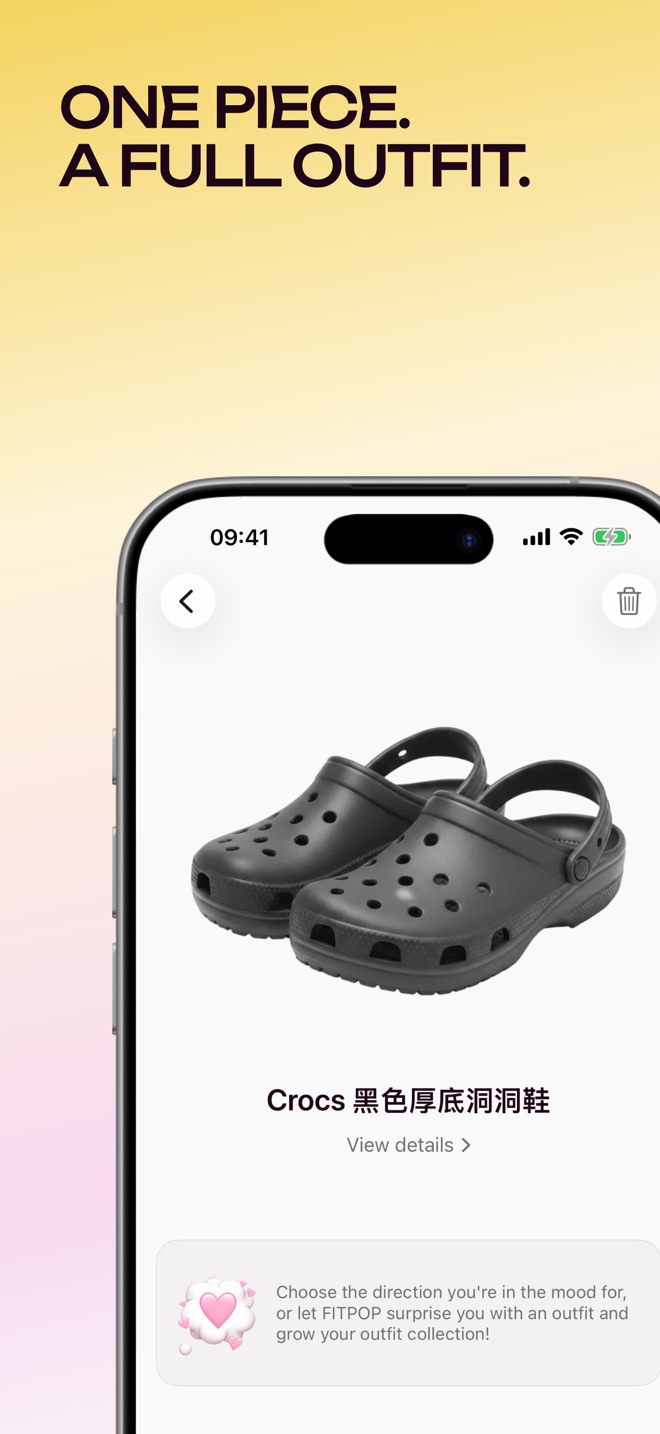
An anchor can also be practical rather than expressive: shoes you can walk in, the coat you need in the evening or trousers appropriate for work. Keeping that constraint visible is often more helpful than asking for something broadly “stylish.”
Check whether the result is actually wearable
Use four checks before saving a suggestion:
| Check | What to look for | What to change |
|---|---|---|
| Item identity | The real color, pattern and length of your saved clothes | Correct the item photo or description if it changed |
| Proportion | How the top, bottom and layer sit together | Try a tuck, an open layer or a different length |
| Practical use | Walking, temperature, workplace and activity | Replace the piece that breaks the constraint |
| Availability | Clean clothes, repairs and items you can find | Keep unavailable items out of the plan |
A virtual preview can help you imagine a combination. It cannot establish how a waistband feels, whether a fabric is transparent or whether the shoes rub. Try on the outfits for important events. If the preview invents a detail or changes a garment, trust the garment you own.
Turn suggestions into a plan you will use
Choose a few combinations you would genuinely wear this week. Save a recognizable reference in your preferred notes or planning workflow, and write down the occasion or layer if needed. You do not need a new outfit every day: a reliable repeat is a useful result.
For a quick start without photos or sign-in, use the free weekly outfit planner. Enter your clothes by name, adjust its combination drafts and print or copy the five-day plan. You make the styling decisions; the tool organizes them.
After wearing a suggestion, note the specific change that made it work. “Loafers instead of sneakers for the meeting” is more useful than “didn't like it.” In a photo wardrobe, keep saved information accurate as you discover errors. In a paper plan, carry the best combinations forward.
Choose the workflow before importing more
If you enjoy arranging garments visually, an outfit canvas may be enough. If deciding on combinations is the difficult part, look for suggestions grounded in your saved clothes. If you need advice about a wardrobe change or a complex dress code, a human stylist offers a different kind of help.
Our Whering, Alta, Acloset and other wardrobe app comparison explains those differences using published feature information. Check current wardrobe limits, supported imports, pricing and photo handling before moving a large inventory. FITPOP's privacy policy describes its data handling; review the equivalent information for any app you choose.
The useful milestone is one outfit you want to wear with clothes you already own. Expand the digital closet after that workflow proves helpful to you.